
开源RSS聚合程序:FreshRSS安装使用
简介
FreshRSS 是一个RSS聚合器和阅读器。它使您可以一目了然地阅读和关注多个新闻网站,而无需从一个网站浏览到另一个网站。
FreshRSS有很多功能,包括:
RSS 和 Atom 聚合
您喜欢文章或想稍后阅读,进行标记
过滤和搜索功能有助于轻松查找文章
统计数据显示您关注的所有网站的发布频率
将源导入/导出为 OPML 格式
各类主题
各类扩展
类似“谷歌阅读器”的API,用于连接Android应用程序
该应用程序是“响应式”的,这意味着它可以适应小屏幕,因此您可以将物品放在口袋里
自托管:代码是免费的(在AGPL3许可证下),因此您可以托管自己的FreshRSS实例
多用户,因此您还可以为朋友和家人出租房源
与一堆服务共享文章链接
Github地址:https://github.com/FreshRSS/FreshRSS
官方网站:https://freshrss.github.io/FreshRSS
官方Demo:https://demo.freshrss.org
- 用户名: demo
- 密码: demodemo
需求
| Software | Recommended | Also Works With |
|---|---|---|
| Web server | Apache 2 | Nginx, lighttpd |
| PHP | PHP 7.2+ | |
| PHP modules | Required: libxml, cURL, JSON, PDO_MySQL, PCRE and ctype.Required (32-bit only): GMPRecommended: Zlib, mbstring, iconv, ZipArchive.For the whole modules list see Dockerfile | |
| Database | MySQL 5.5.3+ | SQLite 3.7.4+, PostgreSQL 9.5+ |
| Browser | Firefox | Chrome, Opera, Safari, or Edge |
下载
稳定版:https://github.com/FreshRSS/FreshRSS/releases/latest
开发者版本:https://github.com/FreshRSS/FreshRSS/archive/edge.zip
或者直接使用 git :
git clone https://github.com/FreshRSS/FreshRSS.git配置
数据库(2选1)
MySQL
mysql -u root -pCREATE USER '<username>'@'localhost' IDENTIFIED BY '<password>'; CREATE DATABASE `databaseName`; GRANT ALL privileges ON `databaseName`.* TO '<username>'@localhost; FLUSH PRIVILEGES; QUIT;PostgreSQL
sudo -i -u postgres psql -c "CREATE DATABASE databaseName;"
sudo -i -u postgres psql -c "CREATE USER username WITH password 'password';"
sudo -i -u postgres psql -c "GRANT ALL privileges ON DATABASE databaseName TO username;"
服务器
官方给的配置文档,根据自己情况更改:
Apache2:
<VirtualHost *:80>
	DocumentRoot /var/www/html/

	#Default site...

	ErrorLog ${APACHE_LOG_DIR}/error.default.log
	CustomLog ${APACHE_LOG_DIR}/access.default.log vhost_combined
</VirtualHost>

<VirtualHost *:80>
	ServerName rss.example.net
	DocumentRoot /path/to/FreshRSS/p/

	<Directory /path/to/FreshRSS/p>
		AllowOverride AuthConfig FileInfo Indexes Limit
		Require all granted
	</Directory>

	ErrorLog ${APACHE_LOG_DIR}/freshrss_error.log
	# Consider piping the logs for cleaning passwords; cf. comment higher up.
	CustomLog ${APACHE_LOG_DIR}/freshrss_access.log combined

	AllowEncodedSlashes On
</VirtualHost>

<IfModule mod_ssl.c>
	<VirtualHost *:443>
		ServerName rss.example.net
		DocumentRoot /path/to/FreshRSS/p/

		<Directory /path/to/FreshRSS/p>
			AllowOverride AuthConfig FileInfo Indexes Limit
			Require all granted
		</Directory>

		ErrorLog ${APACHE_LOG_DIR}/freshrss_error.log
		CustomLog ${APACHE_LOG_DIR}/freshrss_access.log combined

		<IfModule mod_http2.c>
			Protocols h2 http/1.1
		</IfModule>

		# For the API
		AllowEncodedSlashes On

		SSLEngine on
		SSLCompression off
		SSLCertificateFile /path/to/server.crt
		SSLCertificateKeyFile /path/to/server.key
		# Additional SSL configuration, e.g. with LetsEncrypt
	</VirtualHost>
</IfModule>
Nginx:
server {
	listen 80;
	listen 443 ssl;

	# HTTPS configuration
	ssl on;
	ssl_certificate /etc/nginx/server.crt;
	ssl_certificate_key /etc/nginx/server.key;

	# your server’s URL(s)
	server_name rss.example.net;

	# the folder p of your FreshRSS installation
	root /srv/FreshRSS/p/;

	index index.php index.html index.htm;

	# nginx log files
	access_log /var/log/nginx/rss.access.log;
	error_log /var/log/nginx/rss.error.log;

	# php files handling
	# this regex is mandatory because of the API
	location ~ ^.+?\.php(/.*)?$ {
		fastcgi_pass unix:/var/run/php/php7.0-fpm.sock;
		fastcgi_split_path_info ^(.+\.php)(/.*)$;
		# By default, the variable PATH_INFO is not set under PHP-FPM
		# But FreshRSS API greader.php need it. If you have a “Bad Request” error, double check this var!
		# NOTE: the separate $path_info variable is required. For more details, see:
		# https://trac.nginx.org/nginx/ticket/321
		set $path_info $fastcgi_path_info;
		fastcgi_param PATH_INFO $path_info;
		include fastcgi_params;
		fastcgi_param SCRIPT_FILENAME $document_root$fastcgi_script_name;
	}

	location / {
		try_files $uri $uri/ index.php;
	}
}
注意事项
服务器指向目录为
./p/并授权chown -R www-data:www-data /path/to/FreshRSS/p chmod -R 755 /path/to/FreshRSS/p授权
./data/chown -R www-data:www-data /path/to/FreshRSS/data chmod -R 755 /path/to/FreshRSS/data更多设置可以在
config.default.php中查看使用Apache2的话,需要启用 AllowEncodedSlashes 来更好的适配手机端
访问
重启服务器,并访问。
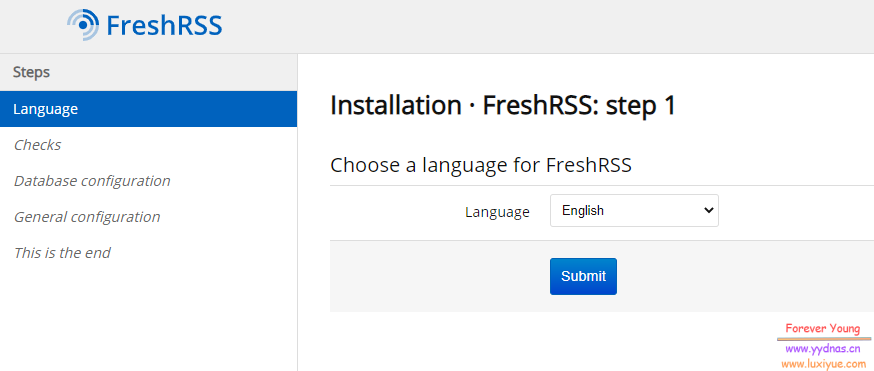
选择语言

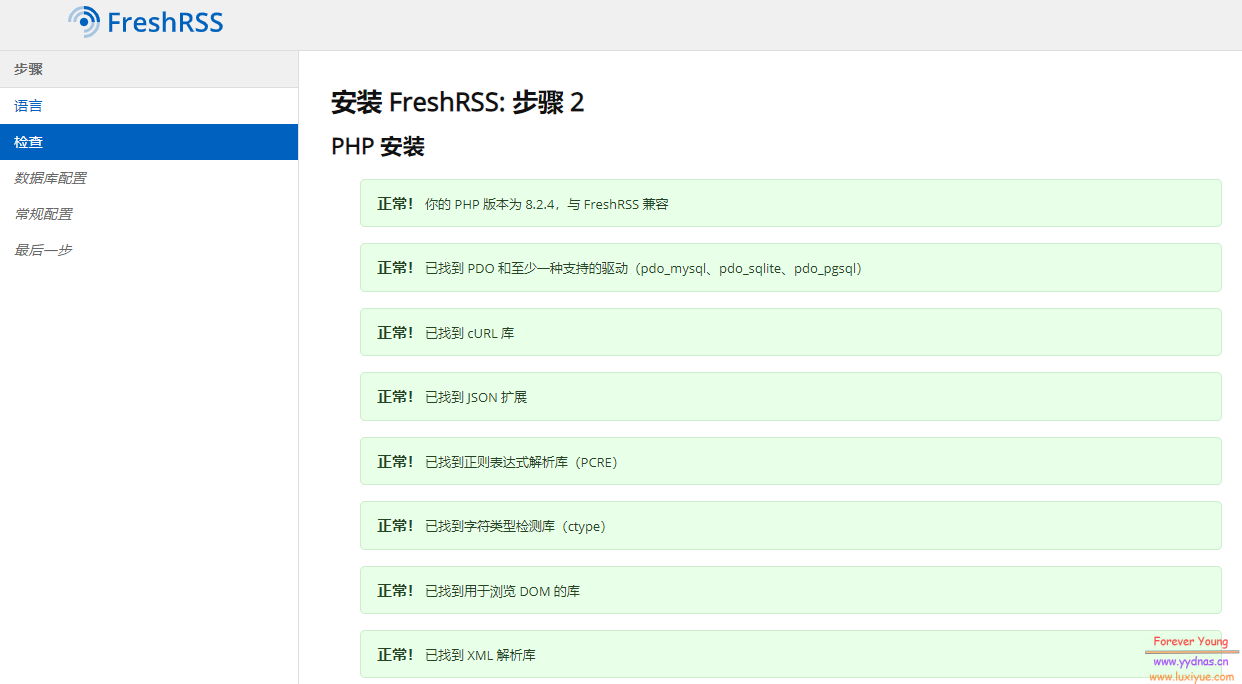
检查
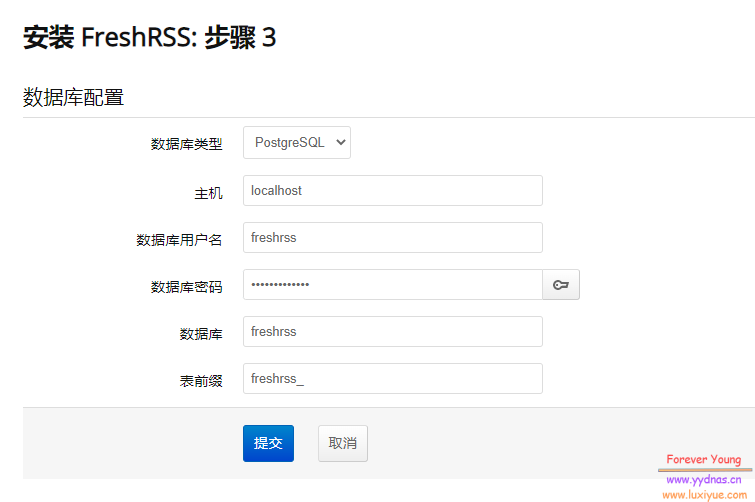
数据库配置
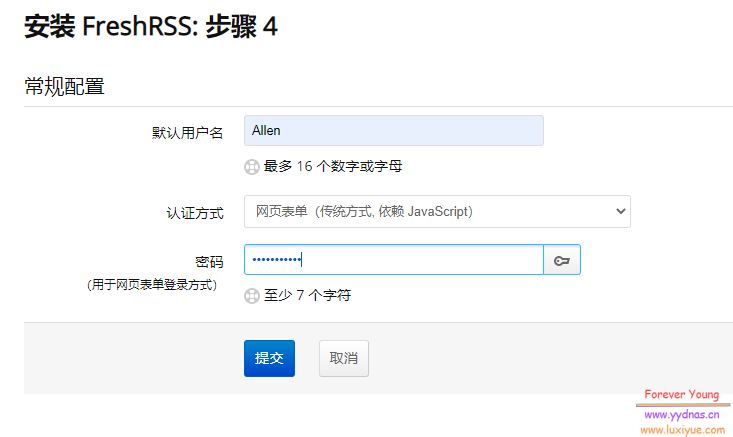
常规配置
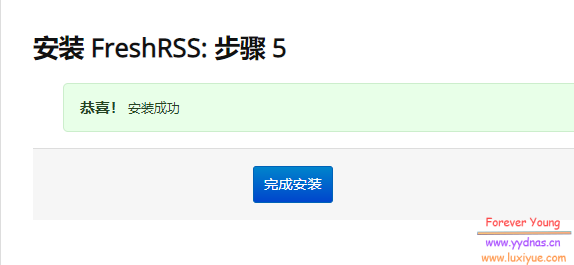
安装成功
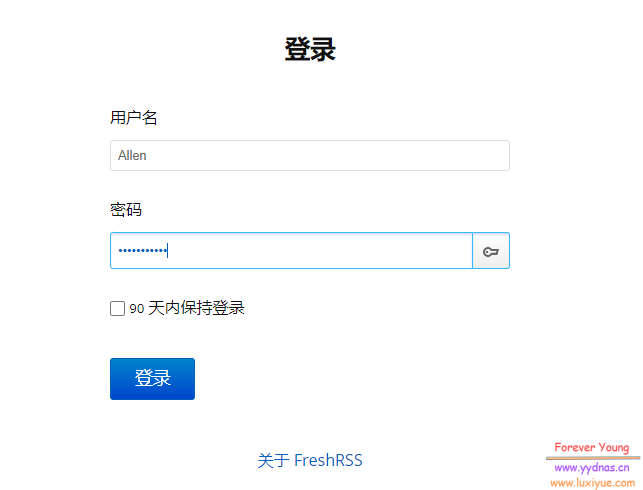
返回登录界面
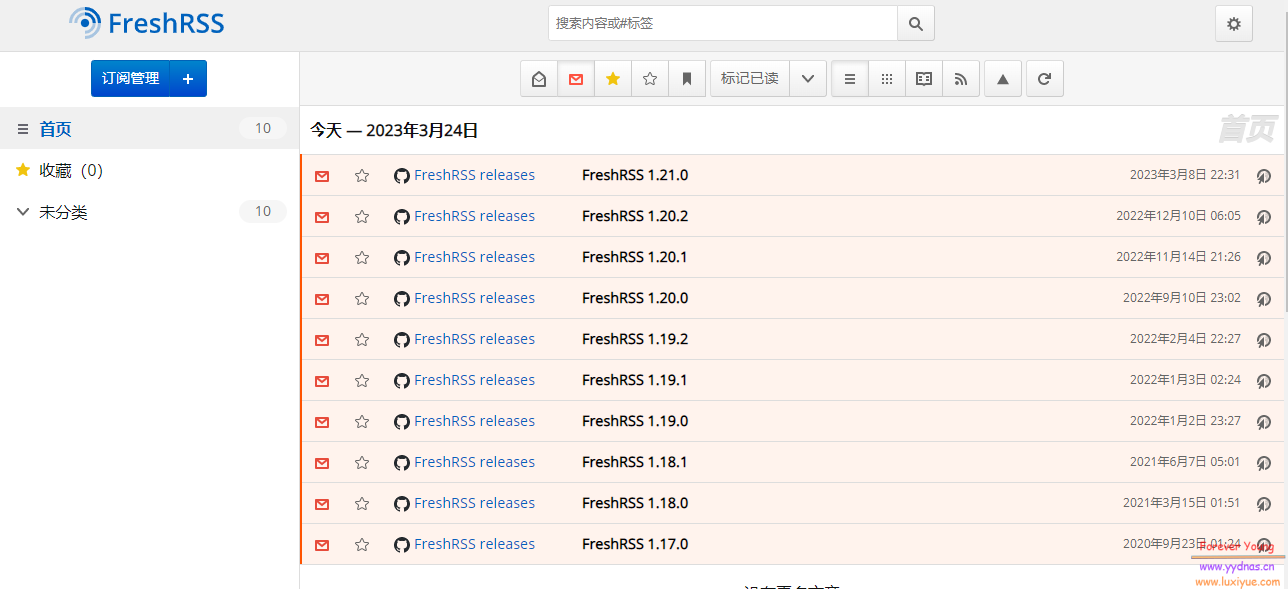
登录成功
使用
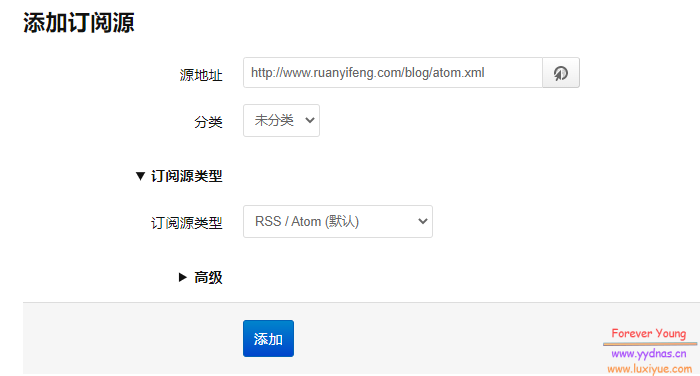
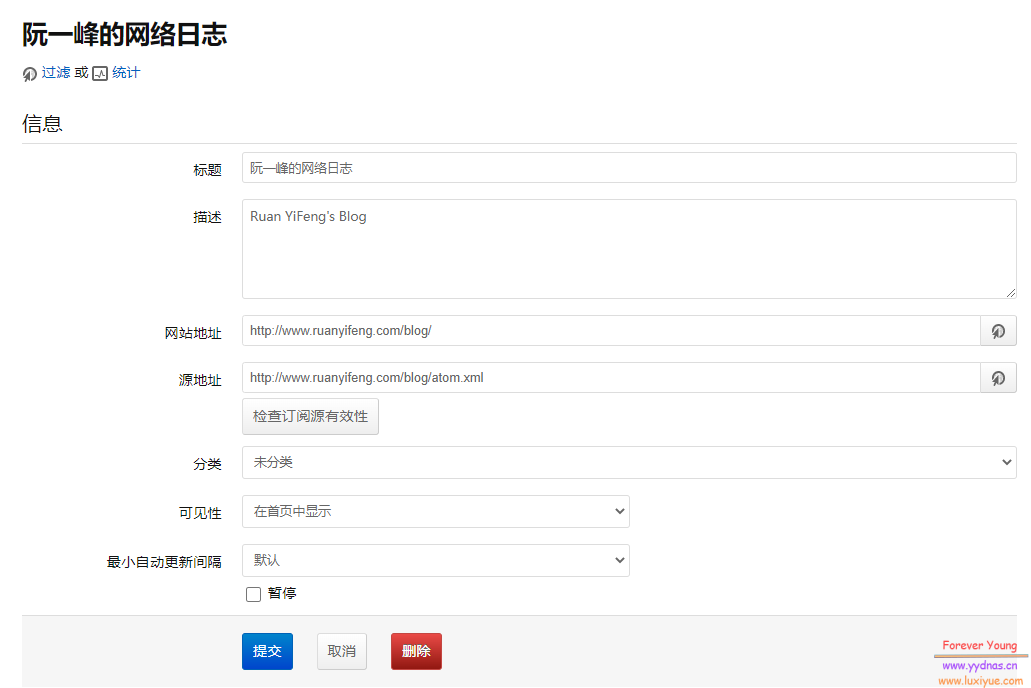
试着添加阮一峰的网络日志:http://www.ruanyifeng.com/blog/atom.xml
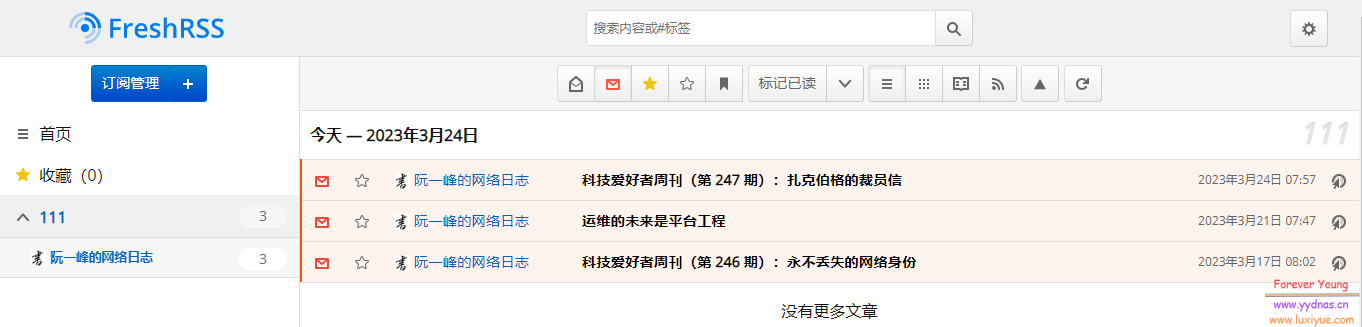
回到主界面,已经可以看到文章了。
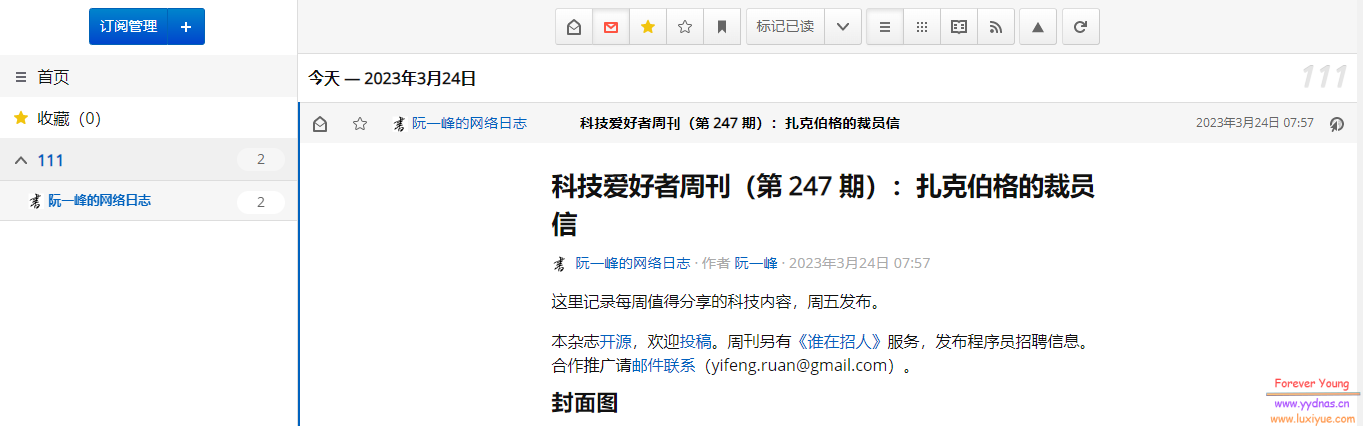
点击进去也可以正常阅读。
应用、扩展
FreshRSS 支持手机应用以及各类扩展。
访问:https://github.com/FreshRSS/FreshRSS#extensions 获取更多。
最后
针对目前国内的情况,RSS订阅源越来越少,而且现在信息化时代,垃圾信息太多,想要找到一个优质的订阅源还是有点困难的。如果可以找到一些优质订阅源,这个程序可以让我们节省很多时间。